


Remote Access
Remotely access articles, eBooks, databases and more using your NetID.
Users are responsible for ensuring their use of the library's licensed resources complies with the terms and conditions specified in our agreements. Violations of these agreements may result in the suspension of access to electronic resources for the entire MSU community.
Off Campus Access to Licensed Electronic Resources
Many of the library's databases, electronic journals, e-books, and other resources are available online, 24/7! However, most of them can only be accessed from off-campus by current MSU students, staff, and faculty. MSU Alumni now have remote access to a growing list of library resources.
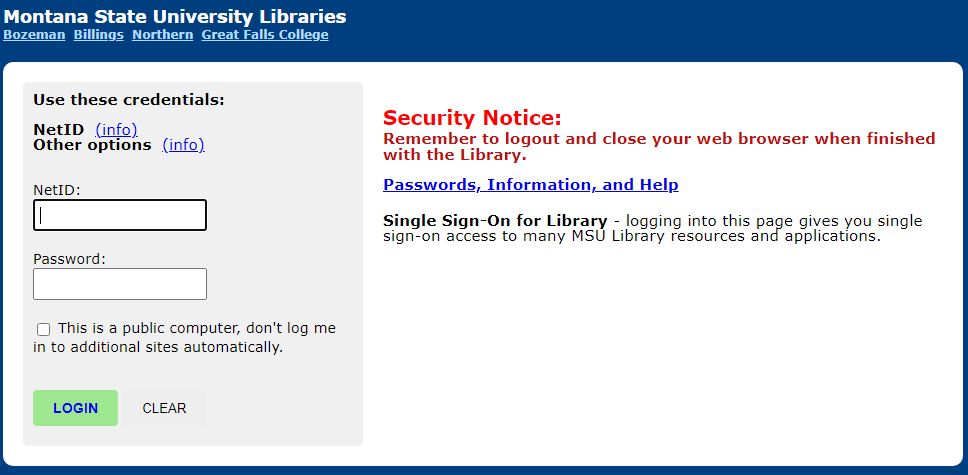
- To access resources remotely, you must log in with your current NetID credentials.
- See Authorized Users for specific eligibility
Start at the Library's Website
The most reliable way to access our resources from off campus is to start your search
at the library's homepage, either by looking for resources in CatSearch or going to a specific database using links on the library's website. These links are configured to automatically ask authorized users to log in using their NetID and passwords to enable their access to the library's
resources from off campus:
Using the VPN to Access Online Library Resources
At this time, the library does not recommend using the VPN to gain access to our subscription resources as an error known as split tunneling occurs, blocking access to resources that we subscribe to. Instead, we suggest starting your search at the library's homepage. If you regular access resources outside of the Library's website, we suggest using one of the options below.
Add the Proxy Prefix
Add the proxy prefix (below) in front of the URL of the resource you're trying to access and select enter. This will cause the URL to be rewritten, and if we have access, you should be prompted to log in:
- Proxy prefix: http://proxybz.lib.montana.edu/login?url=
- Example: http://proxybz.lib.montana.edu/login?url=https://nature.com
Use our online resources shortcut to automatically prepend the proxy prefix to resources.
Accessing Library Resources Elsewhere
The library recognizes that not of all of our users will start their research process at the library's homepage. Below are options we have in place for connecting to our resources if you start your research elsewhere:
- Connect to Google Scholar for easy access our subscription content.
- Browser extensions can help you access full-text articles that the MSU Library has access to.
- The Online Resources Shortcut provides easy access to resources that the Library subscribes to by adding our proxy prefix to URLs.
Vendor & Publisher Websites
The library has worked with several vendors and publishers to ensure that users can log in directly to their websites to access content. To check if this is an option, find the log in button on the vendor or publisher website - you will see 'institutional log in' if this is configured. Select that and use your NetID and password to sign in.
Other Ways to Get Articles
- Most of the time, Library will have access to articles you are looking for. However, if we do not have access, there are several options you can try to obtain a copy of the article.
- Search for articles by DOI or PMID
Ask for Help
If you are having trouble using our online resources from off campus, please review our troubleshooting tips for resolving common issues or contact the library